 Trustpilot 1393 reviews Trustpilot 1393 reviews



Presentation & Collaboration
-
![]()
 Project Telecom 4K HDMI Wireless Transmitter Collaboration Tool - Additional Tx PodSKU19654In Stock£49.95 £59.94
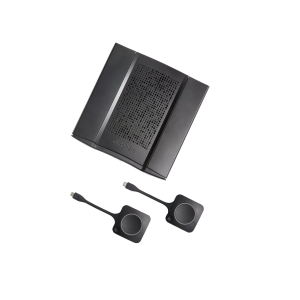
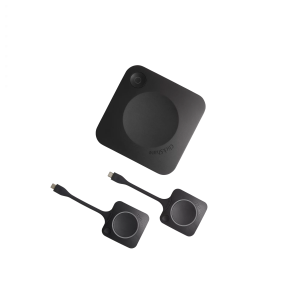
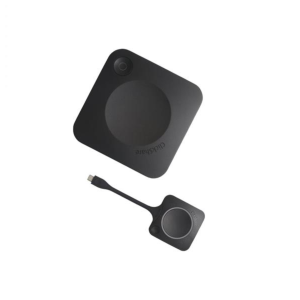
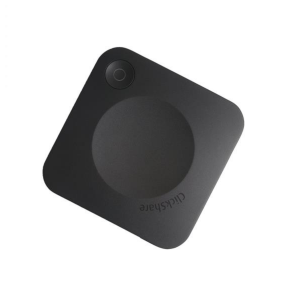
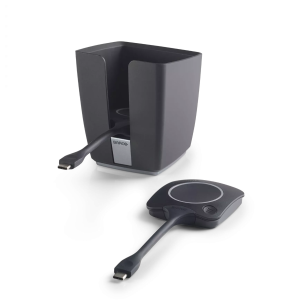
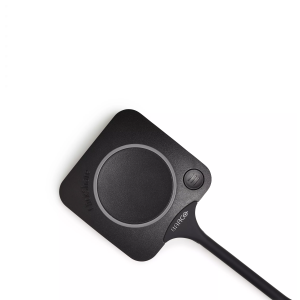
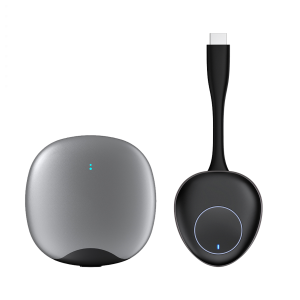
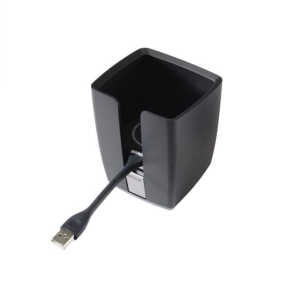
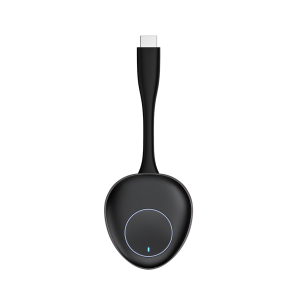
A cable and a screen are not enough to equip a conference room. Teams operate on laptops, tablets, and mobile devices, and they need to share ideas without wasting time on adapters and setup. Wireless presentation and collaboration solutions give businesses a simpler way to connect people, content, and displays. The right system can help meetings move faster and keep everyone focused on the discussion, whether you are equipping a small huddle room or a larger conference space.
What Is A Wireless Presentation System
This presentation setup lets users share content from their device to a display without relying on a fixed HDMI connection. In most cases, it works through a transmitter, receiver connected to the room display, or an app-based screen sharing platform. This makes it easier for staff and guests to present from their own devices, switch presenters quickly, and keep cables off the table. Wireless HDMI and screen sharing systems are a practical choice for businesses that want a more flexible way to run meetings.
Types Of Presentation And Collaboration Solutions
An effective meeting room presentation setup can be constructed in a number of ways. Established manufacturers, like Logitech, provide conference solutions to work alongside cameras, speakers, and room control systems.
Wireless Presentation Systems
Those are designed for cable-free sharing. They are appropriate in the companies that desire quick access, clean tables, and simpler collaboration between employees, customers, and visitors.
AV Presentation Equipment
This forms the technical base of a conference room presentation system. It works with signal delivery, display connection, and compatibility with devices in a large variety of room types.
Key Features Of Wireless Presentation Systems
When comparing business presentation systems, look for these features to ease the daily use:
- Plug-and-play setup for faster meeting starts;
- Support of BYOD, enabling users to present from their own laptop, tablet or phone;
- Secure sharing controls for office and guest access;
- Multi-user support for meetings where more than one person needs to share content;
- Compatibility with most operating systems and meeting room displays.
These characteristics can reduce delays and technical difficulties and make the room easier to use for everyone involved.
How To Choose Presentation Equipment
The best presentation devices depend on the room size, compatibility and price. A small meeting space may only need a simple wireless presentation system with quick screen sharing. A larger conference room may need dedicated AV presentation equipment with stronger connectivity and support for several presenters.
There is also equipment that is more suited to the mixed-device environment or to the existing branded room setups. Ease of use is equally important to technical specifications. If staff need training every time they enter the room, the system is too complex.
The budget should also be matched to the intended use of the space. Different activities, such as internal meetings, client presentations and hybrid collaboration sessions, may require different levels of performance.
Benefits Of Wireless Presentation Solutions
Wireless presentation solutions bring clear value to modern workplaces:
- Cable clutter is reduced and meeting spaces are made cleaner by them;
- Users are given more freedom to connect and present from different devices by them;
- Meetings are made to move with less interruption by them;
- Better collaboration in shared office environments is supported by them;
- Both staff and visiting clients can make professional presentations more easily thanks to them.
Most organisations find that these devices make meeting rooms more efficient, flexible and better adapted to existing working habits.