An external webcam for a PC is better than an embedded solution because the physical image sensor is larger. Small laptop sensors create digital noise when there is low light, but standalone web cameras can retain detail in dense shadows.
The high quality webcam supports 1080p streaming, which is at 60 frames per second, and removes motion blur in live action scenes. PC cameras with glass optics are used by streamers and corporate users who want to keep the camera focused exactly on the speaker's face.
What is a Webcam
A standalone external webcam is a compact optical module designed to capture video streams. The device connects via a standard port and offers superior depth-of-field control compared to built-in lenses. It transmits a digital signal in real time, enabling visual contact between remote participants in work meetings.
A standard video call camera automatically adjusts the frame brightness to match the room lighting. The structure includes a clip for attaching to a monitor or tripod. The removable casing will enable you to switch the shooting angle. The USB camera for PC creates a natural perspective, clearly capturing the speaker’s facial expressions and fine background details without visual distortion.
Types of Webcams
USB models. A standard USB webcam connects via a cable. This setup guarantees stable data transmission and is powered directly from the computer port.
Wireless. This type of PC cameras transmit signals via Wi-Fi or Bluetooth. These models eliminate clutter on your desk by running on built-in batteries.
IP cameras. The equipment streams video over a local network. The devices are used for remote monitoring or recording broadcasts without being physically connected to a system unit.
Windows Hello webcams. Devices with built-in infrared sensors. The sensors capture the user’s facial geometry for instant biometric authentication in the operating system.
USB and USB-C Webcams
Wired USB webcams use standard Type-A ports for instant synchronisation with a computer. The interface guarantees a stable power supply and data transmission without frame loss. The updated USB C webcam uses a symmetrical connector with increased bandwidth. The bus transmits a high-resolution video stream. The device connects directly to compact ultrabooks, eliminating the need for bulky adapters and external connectors.
Wireless and IP Webcams
Compact wireless webcams eliminate the need for a physical connection to a system unit, thanks to their cable-free connection. A built-in Bluetooth webcam instantly pairs with a laptop or tablet. The ability to move the lens on Bluetooth webcams makes it easy to choose the right angle for spontaneous live streams.
Fixed IP webcams stream video directly to the cloud or a local server. These network webcams have their own IP address and operate without a PC being turned on. The signal is transmitted via Wi-Fi or Ethernet. Remote access turns the camera into a standalone.
Key Features Of Modern Webcams
Sensor resolution. A standard HD webcam captures 2 million pixels, producing a crisp video image. An advanced 4K webcam quadruples the data density, eliminating graininess on large-screen monitors.
Audio capture. Built-in webcams with microphones use paired capsules to determine the sound wave vector. A digital filtering algorithm eliminates echoes and system noise.
All-in-one systems. A webcam with microphone and speaker combines communication tools into a single unit. The device transmits video and incoming audio through a single interface. The built-in speakers provide clear speech without the need for external speakers.
How To Choose A Webcam For PC Or Mac
The lens varies depending on the operating system and the amount of light in the room. An average webcam for PC is USB-based and needs drivers. Users of Apple devices are interested in webcams for Mac, which have the UVC standard that does not require the use of complex software configuration.
Resolution. Video calls are appropriate in 1080p. A professional webcam offers 4K resolution and still maintains detail at digital zoom.
Field of view. A 60-78-degree lens focuses attention on the speaker. A wide field of view (over 90 degrees) is typical for a business webcam. It is suitable for displaying physical charts or capturing multiple people at once.
Mounting. A compact external PC camera attaches to the monitor with a clip. A threaded mount simplifies installation on a tripod.
Tight integration with the system kernel guarantees a stable frame rate. Certified Mac webcams are instantly recognised by the macOS environment.
Windows Hello Compatible Webcams
Sign in seamlessly and securely with our Windows Hello compatible webcams. Equipped with an advanced IR (Infrared) sensor, models like the Verify 2K allow for near-instant biometric authentication using facial recognition. This technology doesn't just offer convenience—it provides an extra layer of enterprise-grade security by ensuring the system only unlocks for you, effectively preventing unauthorised access attempted with photographs or videos. Perfect for busy professionals, it is the fastest and safest way to access your Windows 10 or 11 devices without ever needing to type a password.
Best Use Cases for Webcams
Business Communications. A dedicated Zoom webcam makes it easier to conduct daily video calls. A compact office camera guarantees a clear image during remote meetings. These devices support a reliable signal within the corporate network.
Group Meetings. A conference camera captures participants using a motorised zoom. The zoom function keeps faces in focus even from a distance. A fixed conferencing camera provides a panoramic view of the room, ensuring that text on whiteboards remains clear.
Streaming. A powerful streaming webcam guarantees a high frame rate. The equipment streams gameplay or educational content with minimal lag, maintaining smooth speaker movements and a clear background.
Frequently Asked Questions
Do webcams work with Mac and Windows?
All are are compatible with both operating systems. USB connection provides simple "plug & play" operation. Windows and macOS will recognise the device instantly via the USB port. Universal models guarantee stable video transmission without the need to install additional software.
Do webcams have built-In microphones?
Most models are equipped with microphones. However, check the specifications before you buy if this is important to you. Some high end "streamer" or premium 4k models may omit a microphone as the assumption here is that such users looking for such high grade video will also be using a separate high end microphone for their broadcast. There are some budget models also omit microphones. If in doubt, check the specification.
A typical webcam with microphone uses omnidirectional microphones to capture voice.
High-tech PC cameras with microphone often utilise dual microphones with active noise cancellation.
Digital noise cancelling filters eliminate echoes and fan noise, improving speech clarity without the need for a headset.
What resolution is best for webcams?
1080p resolution is considered the perfectly acceptable for regular business calls. It is clear, and it does not create a heavy burden on the network. Professional streaming demand is growing for the 4K HD format. 720p quality is perhaps a little outdated and not really suitable for anything but very budget conscious buyers.
How much do webcams cost in the UK?
The British market determines web camera price based on the physical size of the sensor and the quality of the lenses. Office models with 1080p resolution cost buyers between £25 and £80. The price of flagship 4K devices with HDR often exceeds £200.
 Trustpilot 1393 reviews



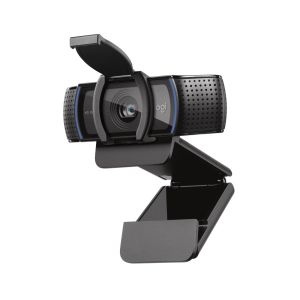

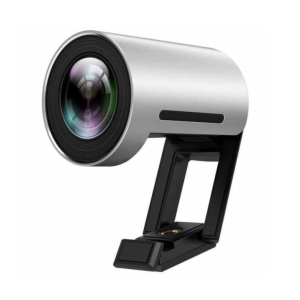

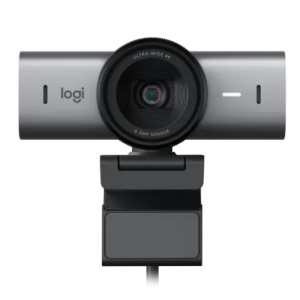

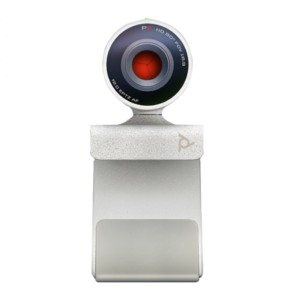

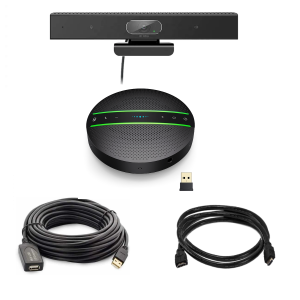

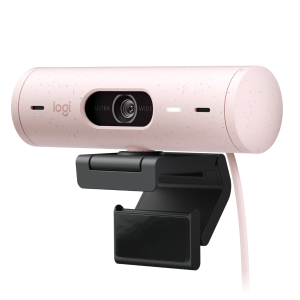

 Project Telecom HDP - Professional HD 1080p Webcam, Video Conference, USBSKU18066In Stock£85.00 £102.00 As low as £76.50 £91.80


